
The main purpose of subtelegram analyser module is to visually present captured subtelegrams and their timings. To invoke visualization enable the module, now select a node from the workspace and then a telegram from Telegram Log.
Tip: You can select a telegram by left mouse click, by keyboard arrows or simply use Autoselect functionality for automatic selection of the last received telegram.
Tip: Move the mouse cursor over the Timestamp axis and use the mouse wheel to zoom in and zoom out.
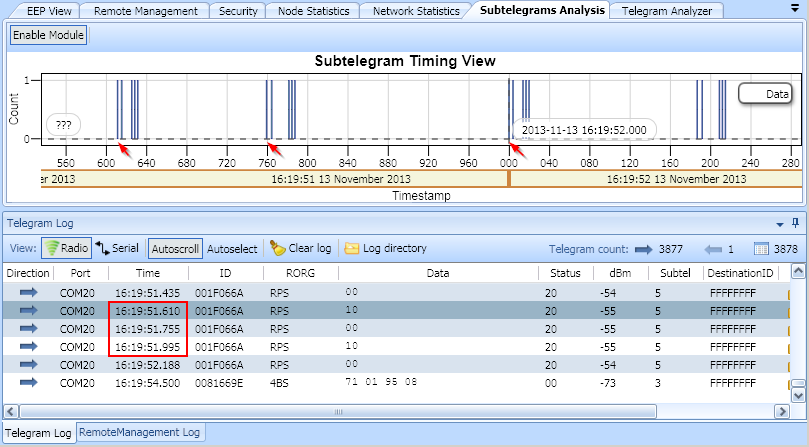
This means that the relative time span between the subtelegrams in Subtelegram Timing View is 1 millisecond accurate. But the absolute time information may vary depending on when the telegram was received by DolphinView application.
 DolphinView User Manual. © 2014 EnOcean GmbH