Telegram Analyser
This functionality is available only in DolphinView Advanced.
The main purpose of Telegram Analyser module is to visually present captured telegrams. To invoke visualization select a telegram from Telegram Log.

Tip: You can select a telegram by left mouse click, by keyboard arrows or simply use Autoselect functionality for automatic selection of the last received telegram.
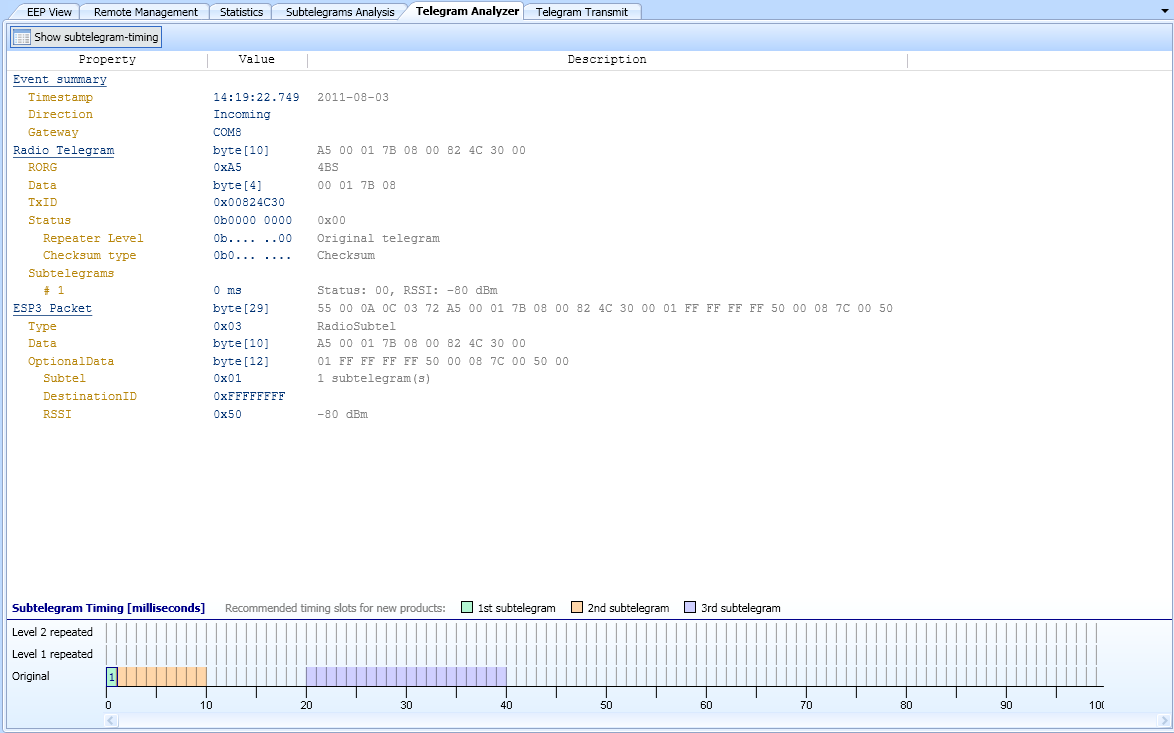
Subtelegram timing
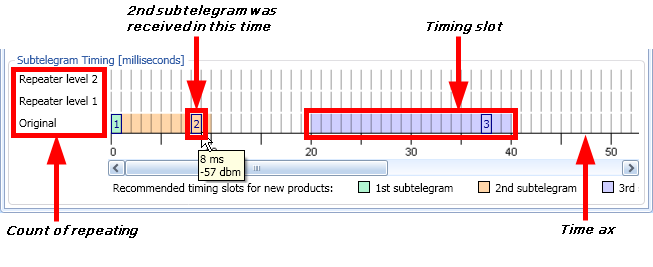
- Time of reception
- Time when the subtelegram was received is showed by subtelegram number
 in a chart.
- Timing slots
- Recommended timing slots, when the subtelegrams should be received.
- Time ax
- Subtelegrams are received in given period (e.g. 100 milliseconds). Time counter starts when the first subtelegram is received.
- Repeater level
- Subtelegrams can be transmitted to receiver directly or can be repeated by repeater once or twice.
 DolphinView User Manual. © 2014 EnOcean GmbH